
Lately we've been reminded of the importance - and difficulty - of managing connections in Power BI and Fabric. Connections are critical, but not intuitive. If your team has ever lost hours or days trying to figure out how to just get a semantic model to refresh again, then you know what I'm talking about.
Rather than write a comprehensive guide, I wanted to offer 1 idea and 3 quick tips to make managing connections easier that you can implement today. (These apply whether you're on plain Power BI or you've moved into Fabric. The headaches are the same.)
Idea: See connections in two layers
This is hard for people used to making direct client-server connections; that's not how Power BI works. Think of these instead as "managed connections".
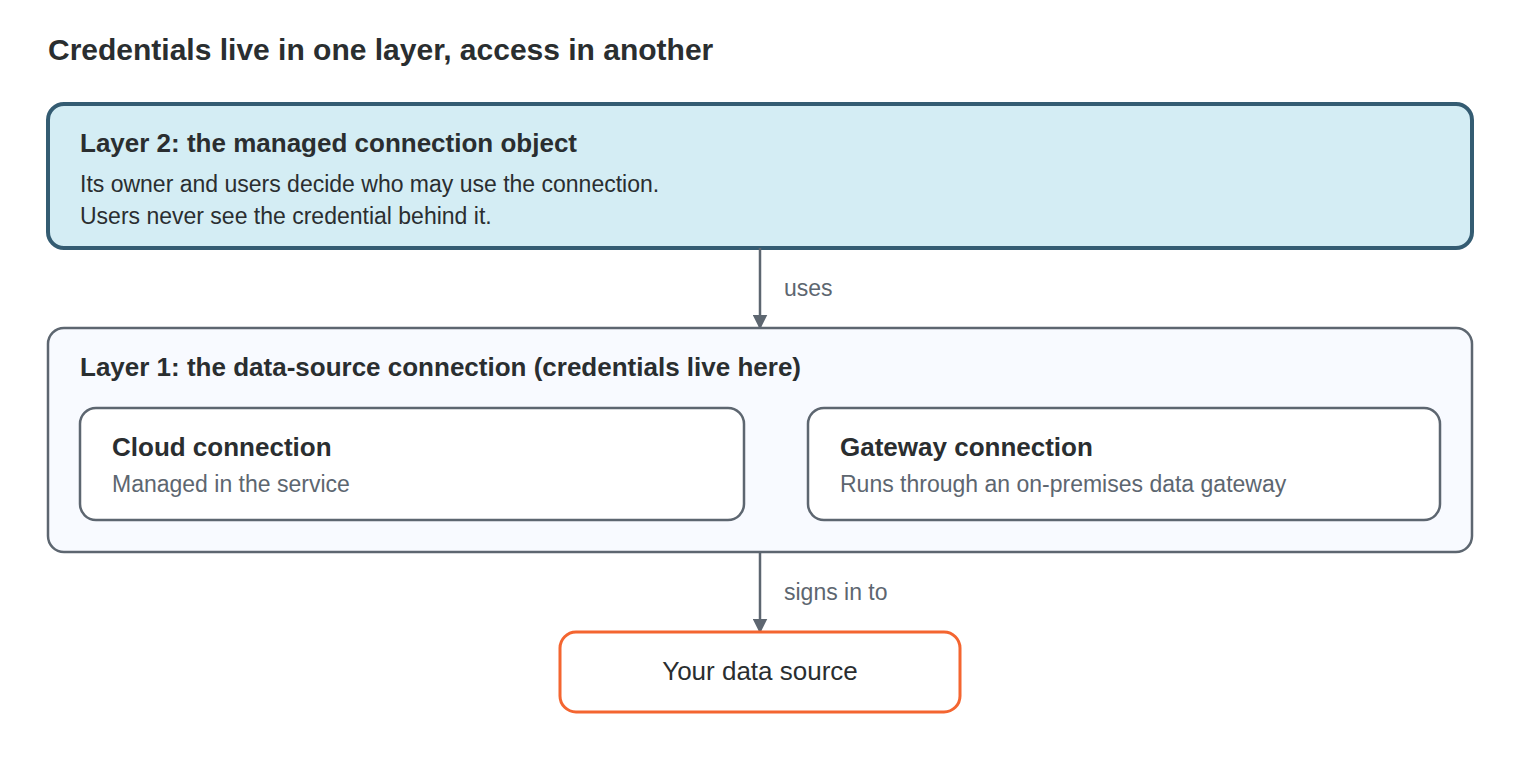
Layer 1 is the connection to the data source itself. That's where the data source credentials live, the actual sign-in that authenticates to your database or service.
These come in two main kinds:
- A cloud connection, managed only in the Service, or
- A gateway connection, usually an on-prem data gateway. Either way, the credential is stored at that level.
Layer 2 sits on top of layer 1. The connection object has its own owner and its own users, and those are completely separate from the data-source credential. Someone can be granted the right to use a connection without ever seeing the password behind it. That separation is critical to Power BI, and very useful, but without this conceptual understanding, it's a source of confusion.
A connection is like a hall pass:
- The connection gives you passage to a datasource.
- The connection owner is the classroom teacher who can grant permission to use the hall pass
- And the connection users are the students who really have to go right now.
connection-layers
Once you see it that way, management gets a lot simpler.
3 Tips for easier connection management
1: Centralize credentials instead of scattering them.
Every semantic model holding its own copy of a credential is a future outage waiting on a password change. Shared connections mean you update a credential in one place, not twenty. This means using service principals rather than individual accounts. And keeping a wary eye out for "personal mode" gateway connections - this is Power BI refreshing through a user's desktop or laptop.
2: Use a naming convention a human can read.
A connection called "SQL 4" tells you nothing at 7 AM when a refresh is down. Here's the pattern we recommend to every client:
Source_Environment_Type
SalesDB_Prod_GatewayFinanceWarehouse_Dev_CloudHubSpot_Prod_Cloud
Source comes first, because that's what you scan for when something breaks. Use the name people know, not the server's hostname. Always state the environment, even for production. End with Cloud or Gateway, so you know which layer you're troubleshooting before you open it. Underscores keep the name clean in scripts and logs too.
3: Use groups for connection owners and users.
Because connection ownership is a separate layer, a connection can quietly belong to someone who has left the company. Once a quarter, check who owns what. Where possible, use security groups for connection owners and users.
Power BI Managed Intelligence
None of this is glamorous. But connection hygiene is one of those things that silently separates a Fabric platform that "just works" from one that creates constant emergencies.
In Fabric as in business and relationships: it's all about good connections!
Happy October!
Brent
